-

-
Visit Us
Find Your Nearest Store
Visit Us
Find Your Nearest Store
At what percentage is a new battery worth paying for, and when does buying a whole new phone actually make more sense? Here's the honest answer.
You open your battery settings, see a number like 78%, and immediately wonder: is that bad? Do I need a new battery? A new phone? Or can I ignore it for another year?
At Case Indulgence, we get asked this at the counter across our QLD and NSW stores every week, and the honest answer is more useful than "it depends." There's a clear line where a battery replacement starts paying for itself, and a much shorter list of situations where a new phone genuinely wins instead. (Quick note on wording: in this guide, "repair" means giving your phone a new battery, and "replacement" means swapping the whole phone.)
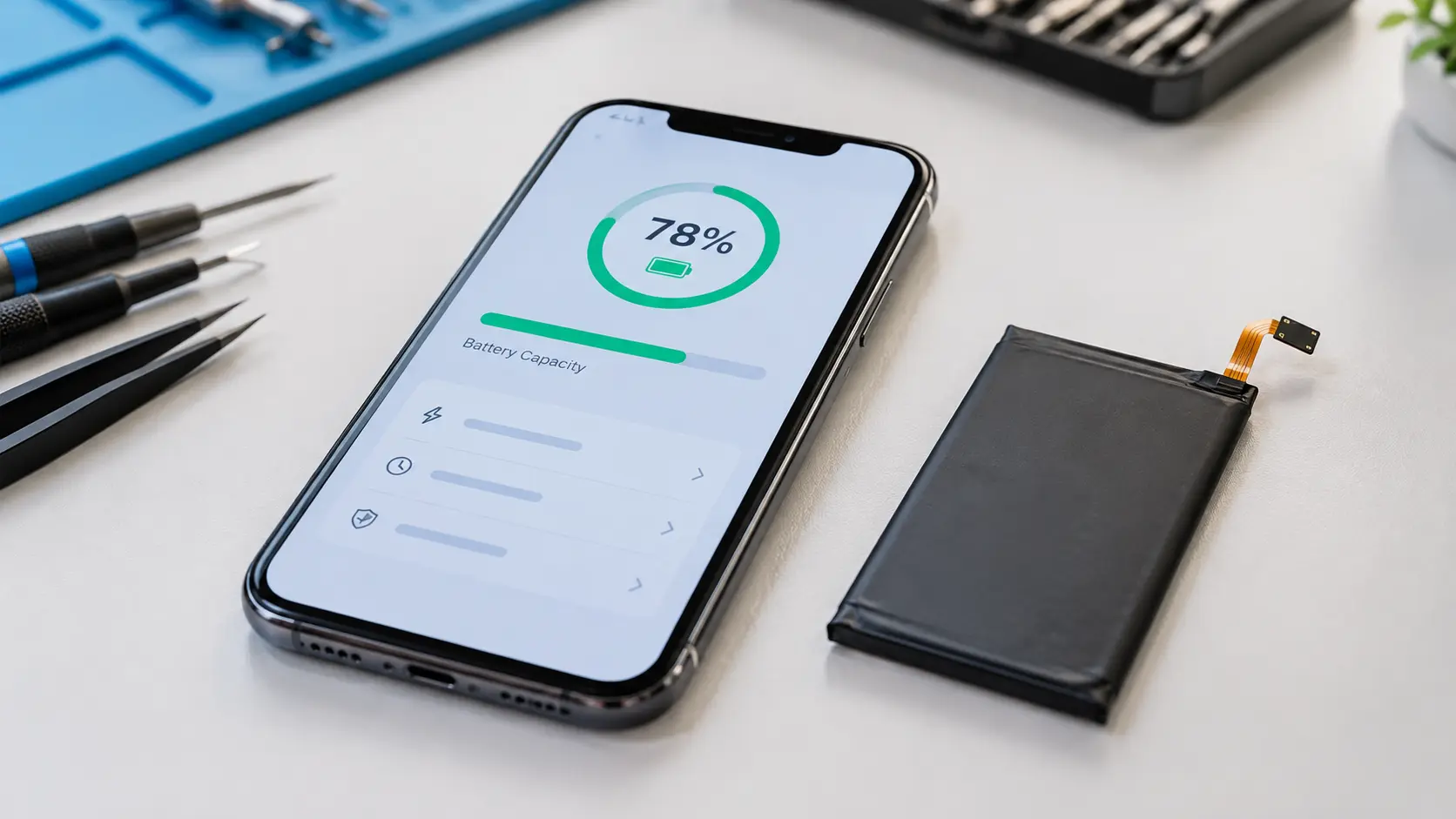
Battery health, or "maximum capacity" on an iPhone, tells you how much charge the battery can hold now compared to when it was new. A battery at 80% holds four-fifths of what it originally did, so a phone that once lasted a full day now runs out noticeably sooner.
Apple designs iPhone batteries to keep 80% of their original capacity for a set number of full charge cycles under ideal conditions: 500 cycles for iPhone 14 and earlier, and 1,000 cycles for iPhone 15 models and later, as Engadget reported when Apple updated its figures. That's why 80% is the number everyone talks about: it's the manufacturer's own marker for "this battery has done its designed job."
One cycle isn't one charge. It's a full 100% of discharge added up, so two charges from 50% to 100% count as one cycle.
| Battery Health | What You'll Probably Notice | Our Honest Call |
|---|---|---|
| 90–100% | Nothing. Battery life feels normal. | Leave it alone |
| 81–89% | Slightly shorter days, mostly on heavy-use days | No action needed. Check your habits before paying for anything |
| 76–80% | Needing a top-up mid-afternoon; battery dips faster in the cold or heat | Worth considering a replacement if you rely on your phone all day |
| 70–75% | Charging twice a day, sudden percentage drops | Replacement is worth it on any phone you plan to keep |
| Below 70% | Unexpected shutdowns, slow performance, constant charger-hunting | Replace it. Every extra month costs you more than it saves |
| Any % with swelling | Screen lifting, back panel bulging, case not sitting flat | Urgent. Stop charging it and bring it in |
These are practical guidelines rather than hard rules, because two phones at the same percentage can feel very different depending on how you use them. A person who's home near a charger most of the day can live comfortably at 76%. A tradie or a rideshare driver working all day can't.
On iPhones, a worn battery doesn't just shorten your day. iOS can apply performance management to a severely degraded battery to stop the phone shutting down unexpectedly, which is why an old iPhone can feel slower even when nothing else is wrong. If your phone has started feeling sluggish and your battery health is low, the two are often connected.
Android phones handle this differently depending on the manufacturer. Some quietly reduce performance, some simply let battery life shrink, and many don't show a health percentage in settings at all. If your Android doesn't give you a number, a technician can read the battery's condition directly with diagnostic tools, which is a big part of what a device assessment covers.
In most cases, this is the right call. A new battery fixes the one thing that's actually worn out, while a new phone makes you pay for a processor, camera, and screen you didn't need to replace.
If the screen is intact, the phone is fast, and the only complaint is that it doesn't last the day, a battery swap solves it completely. This describes most of the battery jobs we do.
A phone with a few years of updates ahead of it is worth putting a fresh battery into. The new battery will outlast the useful life of the rest of the device.
A battery replacement is usually one of the more affordable repairs on any phone. If your quote sits well under our 60% rule of thumb for repair cost versus secondhand value, the maths almost always favours repair.
Familiar camera, comfortable size, no data migration, no new accessories to buy. That's real value, and a fresh battery preserves all of it.
Battery percentage alone almost never justifies a new phone. These are the situations where something else tips the balance:
A low percentage isn't the only reason a battery feels bad. These free checks take a few minutes and sometimes save you the repair entirely:
If your health reading is above 85% but the battery still drains fast, the cause is probably software rather than the battery itself, and our guide to why phone batteries drain so fast ranks the real causes in order.
Every lithium-ion battery loses capacity from the day you start using it. A phone at 88% after a year is completely normal, and nothing needs fixing.
Apps that estimate battery health from outside the system are often guesses. Your phone's own reading, or a technician's diagnostic tool, is far more reliable.
It will remove battery-related slowdown, particularly on iPhones that were running with performance management, but it won't fix a phone that's slow because its storage is full or its processor is simply old.
Modern phones stop drawing meaningful power once full, so overnight charging isn't the main culprit. Heat and sheer charge cycles do far more of the damage.
Around 80% is where a replacement starts making sense, since that's the point Apple itself treats as a worn battery. Below 75% it's clearly worth doing on any phone you plan to keep.
Replacing the battery is usually the better value when it's the only fault and the phone still has software support left. A new phone only wins when other problems stack up or the phone is near end of life.
Apple designs iPhone 14 and earlier batteries to keep 80% capacity at 500 full cycles, and iPhone 15 and later at 1,000 cycles, under ideal conditions. Real-world results vary with heat and charging habits.
It can. iOS may apply performance management to a severely degraded battery to prevent unexpected shutdowns, which can make the phone feel slower until the battery is replaced.
It depends on the manufacturer, since some Android phones show a health reading in settings or a diagnostic app and many don't. A technician can read it directly if your phone doesn't display a number.
Yes, it can be. Stop charging the phone, avoid pressing on it, and get it checked as soon as possible, because a swollen battery can leak or, rarely, catch fire.
The right call comes down to your actual battery reading, the rest of your phone's condition, and what you use it for. An expert assessment checks the real figure and gives you a straight recommendation either way, with no pressure to book a repair.

Our skilled technicians are dedicated to restoring your devices to their optimal functionality.


© 2026 CaseIndulgence. All Rights Reserved